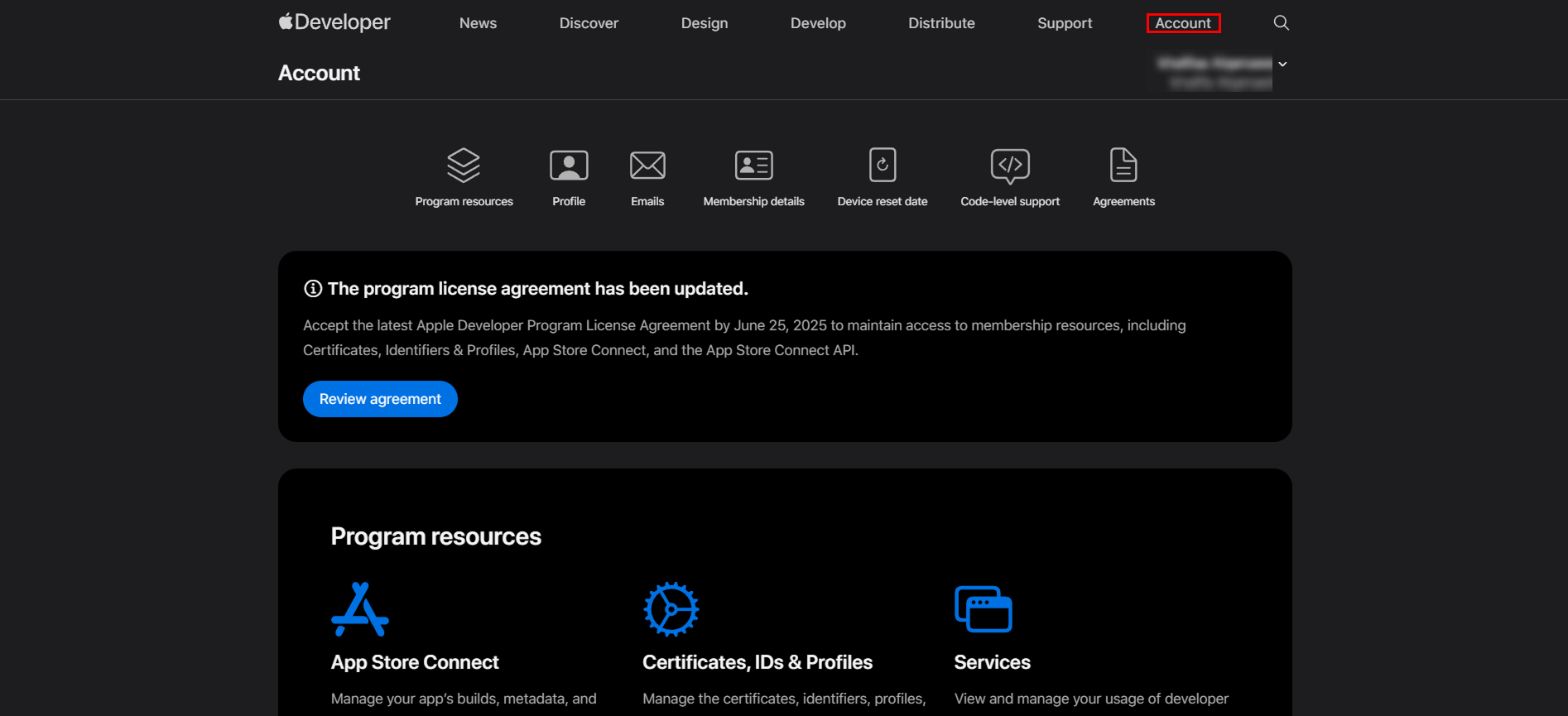
- Sign in to your Apple Developer account. Go to https://developer.apple.com/ , then click on the Account tab.

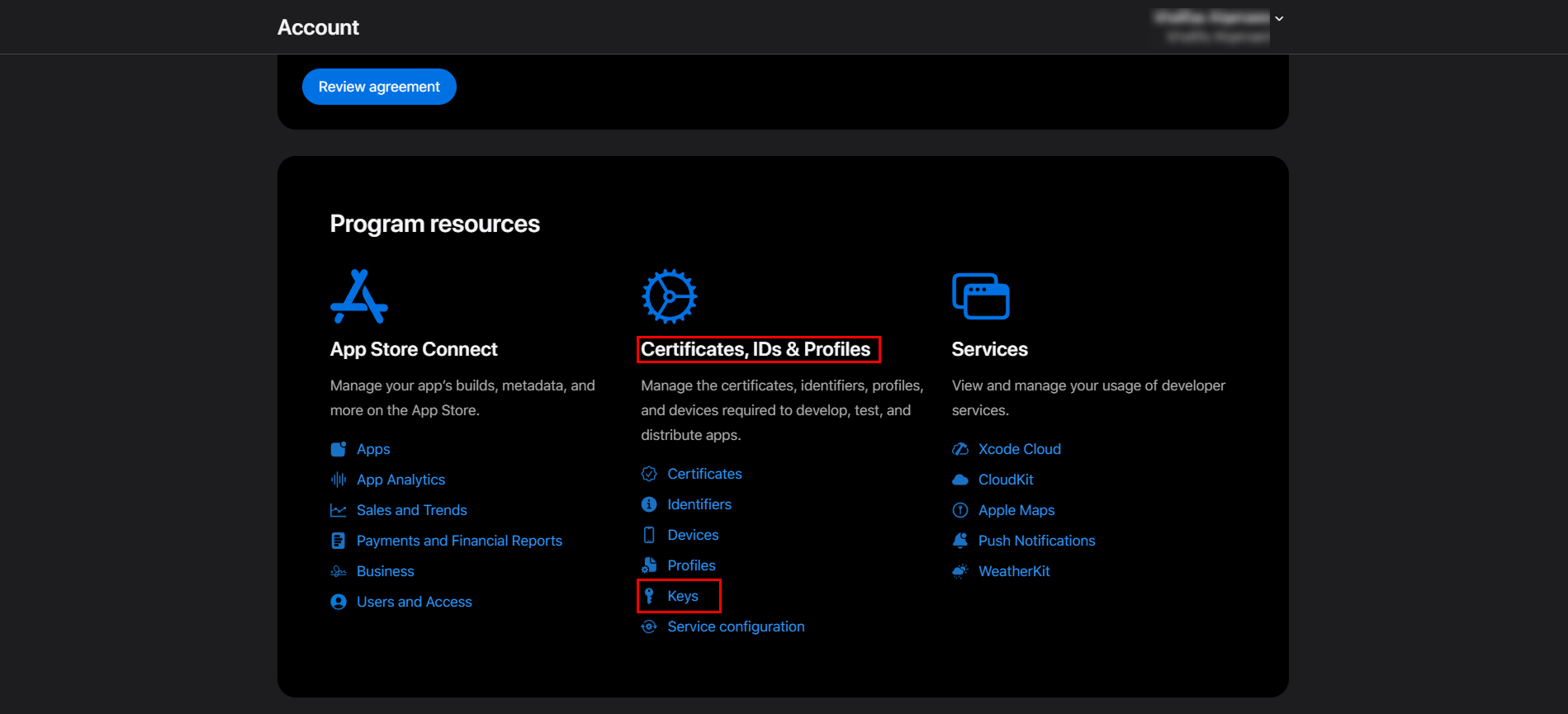
- Click on the Keys field under Certificates, IDs & Profiles in the Program resources tab on this screen.

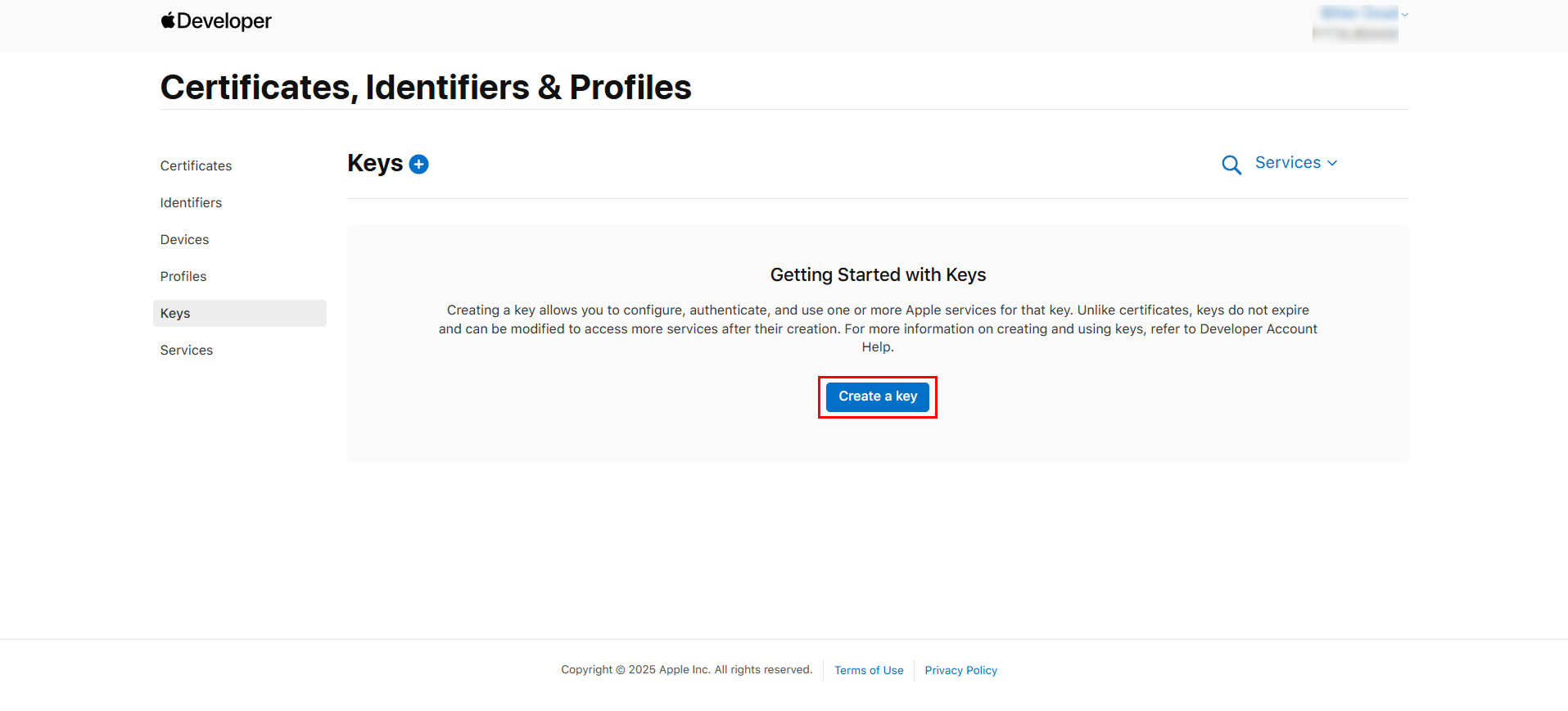
- On the screen that opens, click the Create a key button.

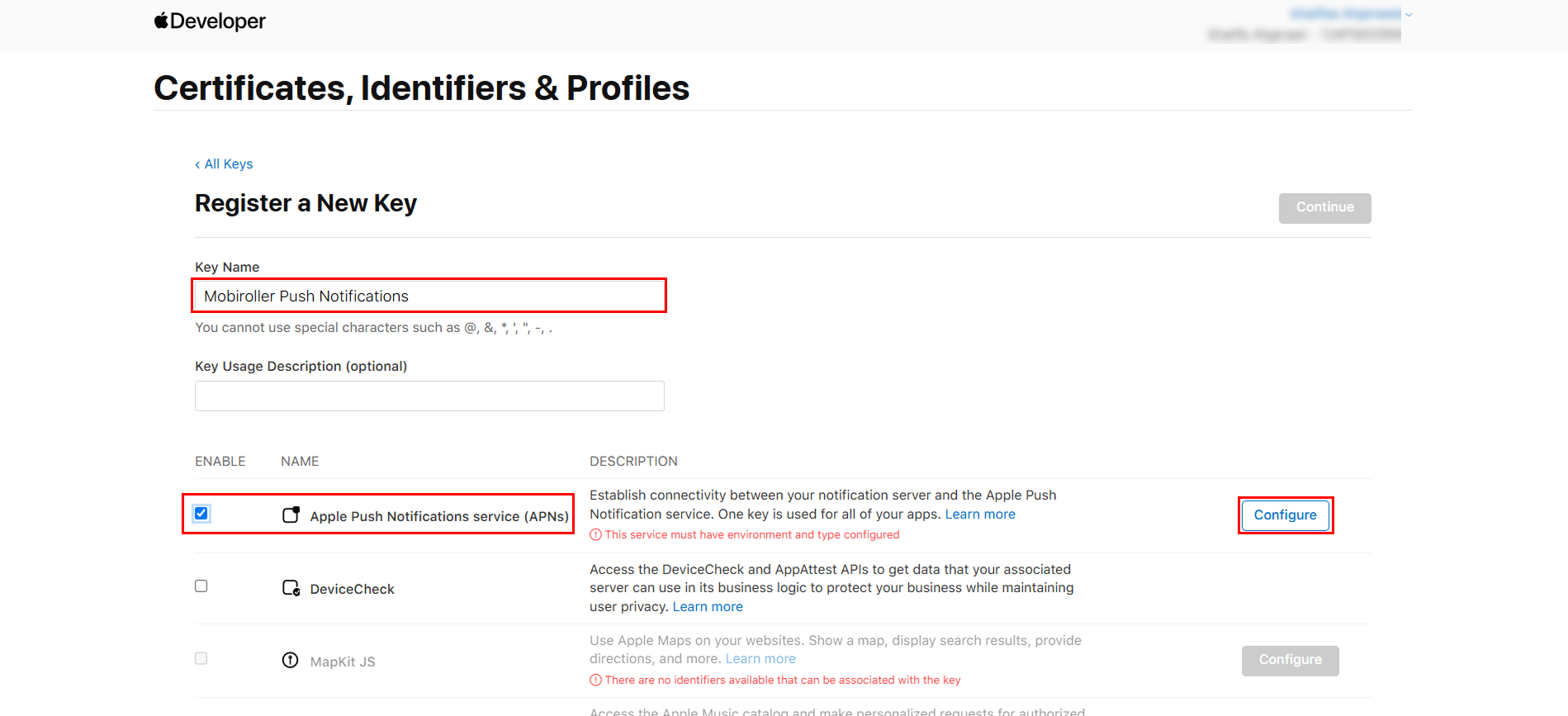
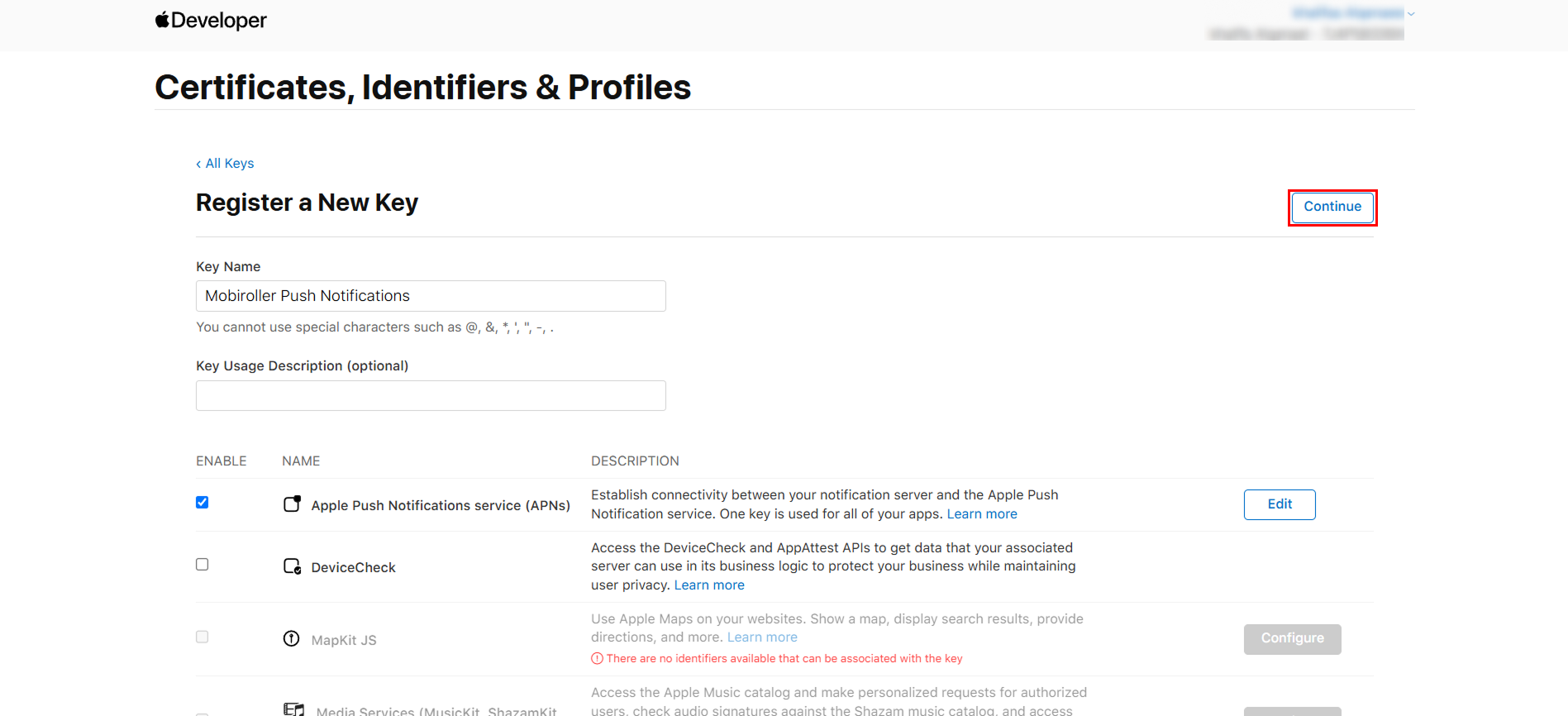
- On the screen that opens, enter the name of your key file in the Key Name field, then activate the Apple Push Notifications service (APNs) field and click the Configure button.

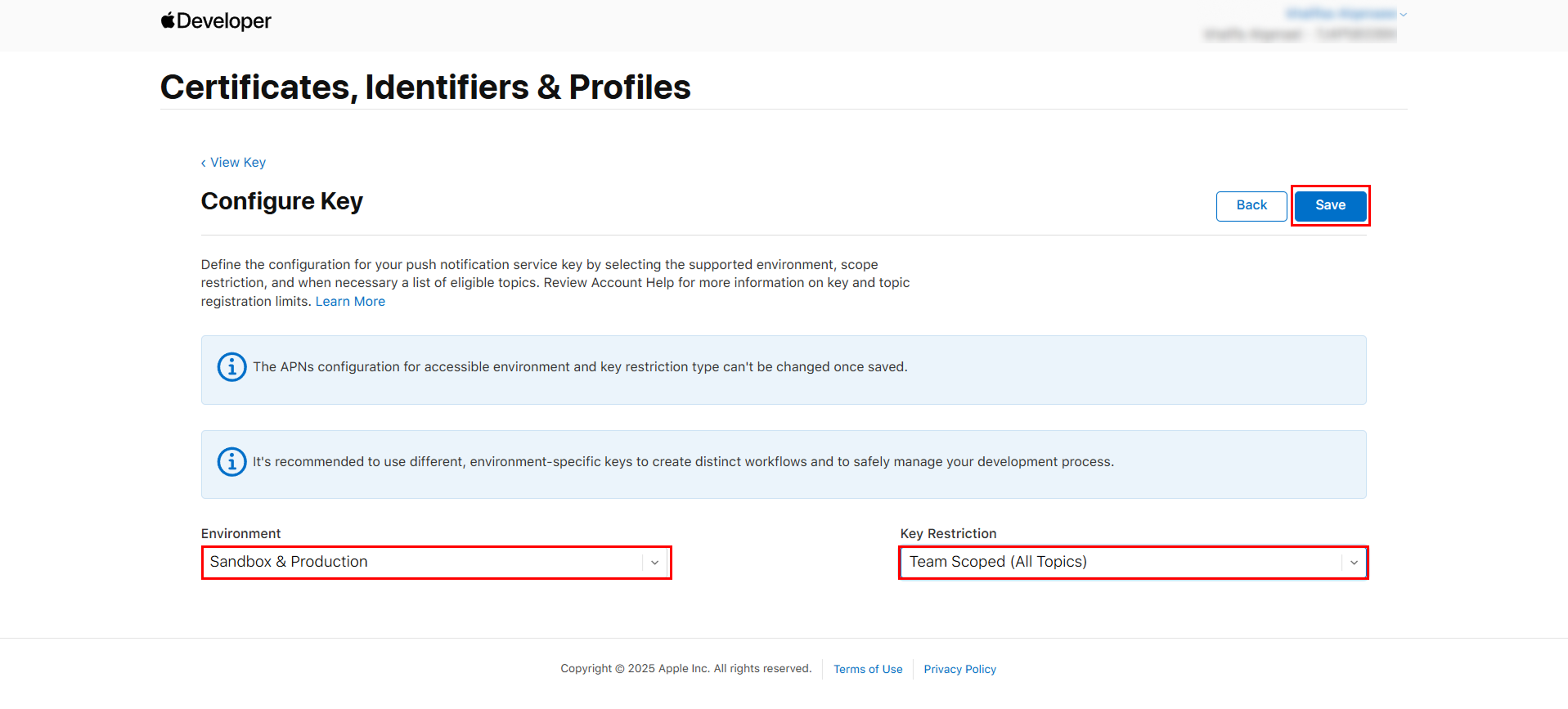
- On the screen that opens, select the Sandbox & Production option from the Environment field, select the Team Scoped (All Topics) option from the Key Restriction field, and click the Save button.

- Click the Continue button on the screen that appears.

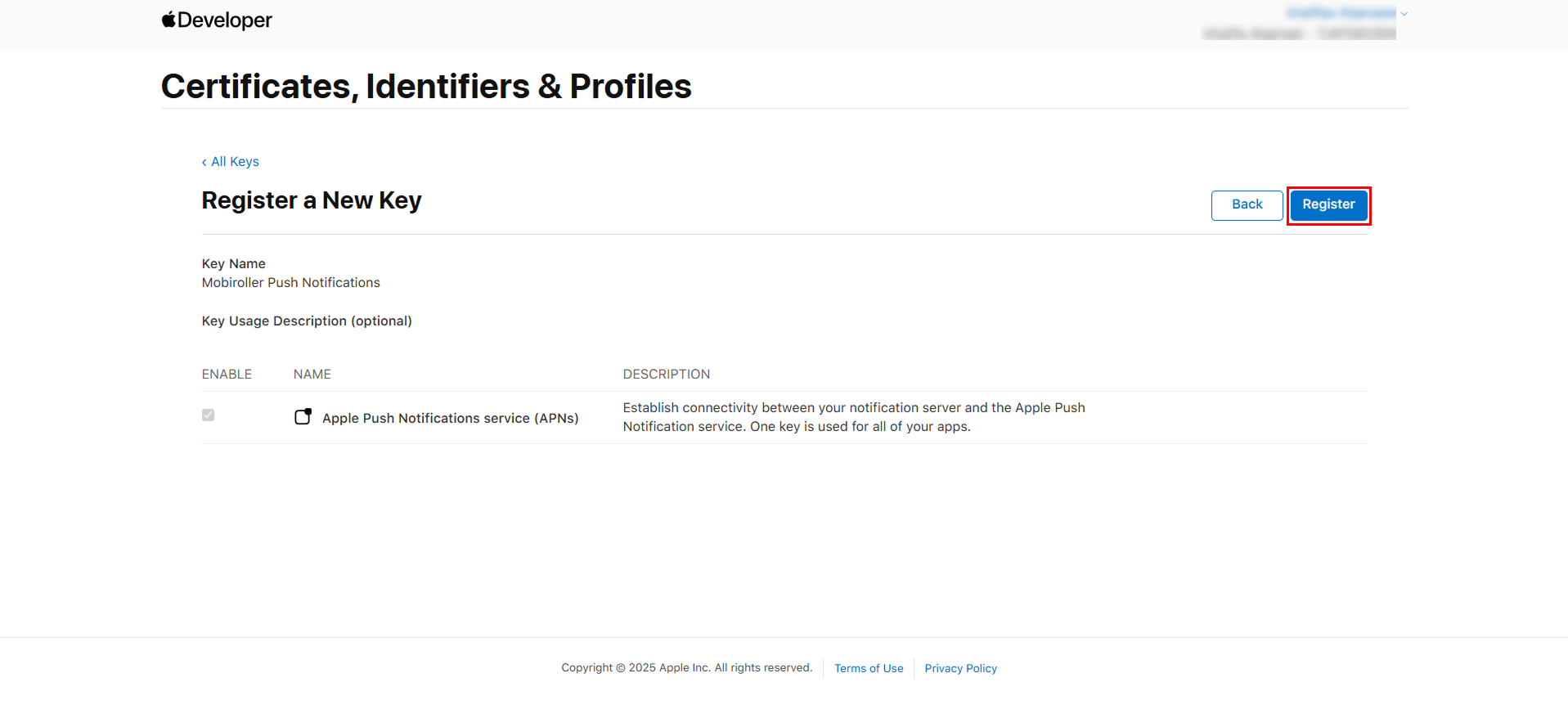
- Click the Register button on the screen that opens.
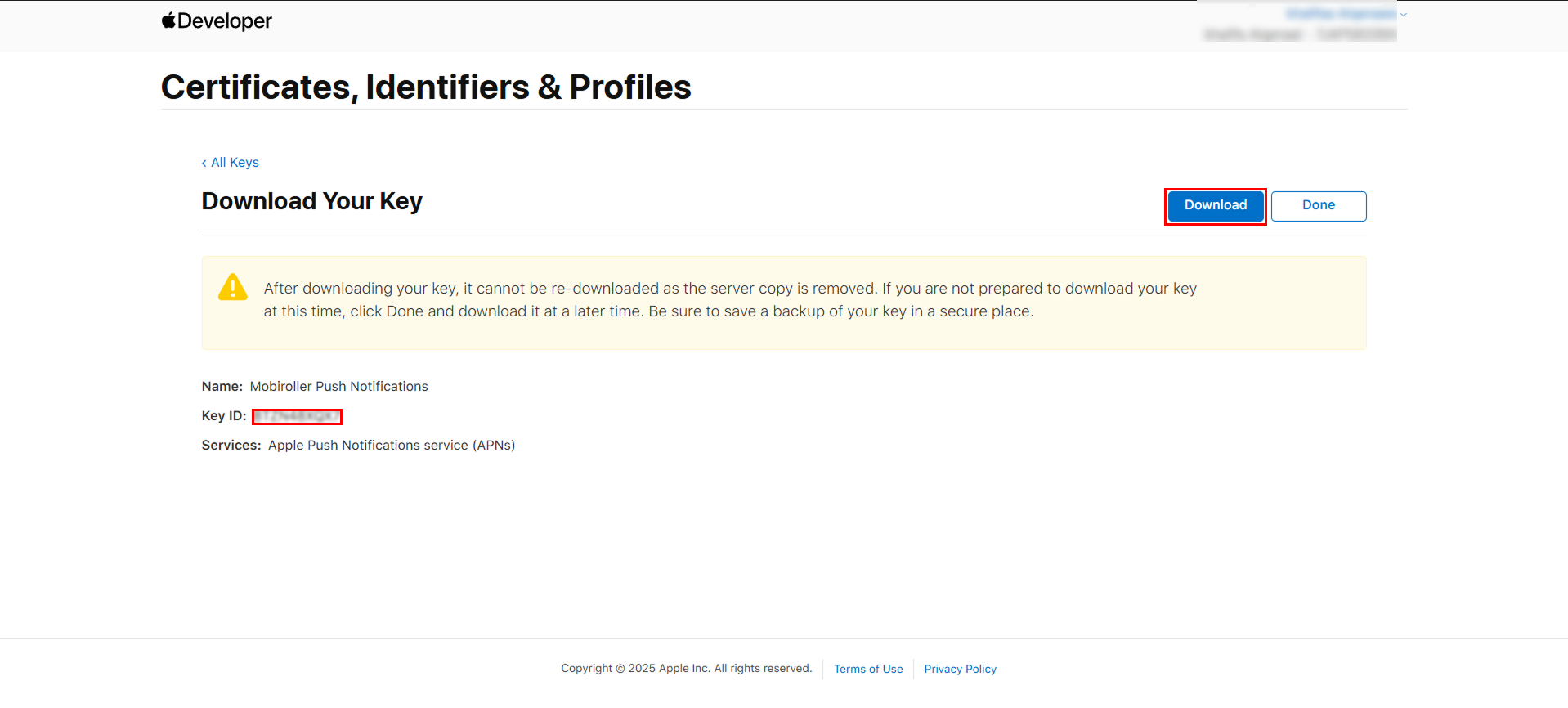
- On the screen that opens, click the Download button to download the generated key file. Then click the Done button.